
Links to Amazon and eBay on this page can be affiliate links. If you buy through them I may earn a small commission, at no extra cost to you. See my affiliate disclosure.
Looking for the best mini PC for homelab use without spending a fortune? I get it. Most lists online show the price of the box and stop there, and nobody tells you which specs actually matter for what you want to run. In this guide I start from the other end: what do you want to run, and what does that need?
A quick note on honesty. I self-host my own services, but I don’t own every mini PC on this list. Where I haven’t tested something myself I say so, and I explain why it should work based on the spec sheet.
The short answer: the best mini PC for homelab beginners
For most people starting out, the best mini PC for homelab use in 2026 is a refurbished 1-litre business PC, like a Lenovo ThinkCentre Tiny, a Dell OptiPlex Micro or an HP EliteDesk Mini. They come with RAM and an SSD already inside, they use normal upgradeable parts, and there are thousands of them on eBay from companies replacing their office PCs.
That matters more than it used to. RAM prices went up hard in 2025 and 2026, so a new barebones mini PC plus a new RAM stick can cost more than a used business PC that already has 16 GB inside. If you want something new with a warranty, an Intel N100 or N150 box is the next best option.
5 honest picks, sorted by what you want to run
These are the machines I look at when a friend asks me for the best mini PC for homelab use. There are no prices in this table on purpose, because they change every week. Click through to see the current price.
| Pick | New or used | Good for | Watch out for |
|---|---|---|---|
| Lenovo ThinkCentre M720q / M920q | Used (eBay) | Proxmox, Docker, Immich | Check that RAM, SSD and adapter are included |
| Dell OptiPlex Micro / HP EliteDesk Mini | Used (eBay) | Same as the Lenovo | Drive slots differ per model |
| Intel N100 / N150 mini PC | New (Amazon) | Jellyfin, light Docker | One RAM channel, sometimes soldered RAM |
| AMD Ryzen mini PC | New or used | More VMs at once | Check the network chip |
| The PC you already own | Free | Learning the basics | Size and noise |
1. Refurbished Lenovo ThinkCentre M720q or M920q
This is my default pick for the best mini PC for homelab builds on a budget. Lenovo’s official spec sheet for the M720q lists two DDR4 SO-DIMM slots, one M.2 slot for an NVMe SSD and one 2.5 inch bay. So you get room for a system drive and a data drive. The i5-8500T and i5-9500T versions have 6 cores, which is plenty for a few VMs and a stack of Docker containers.
The M720q and M920q also have an internal PCIe slot that takes a riser card, which people use to add a network card later. When you buy one used, read the listing carefully. Some come without the power adapter or without an SSD.
2. Dell OptiPlex Micro and HP EliteDesk Mini
These are the same idea from other brands. An OptiPlex 7070 Micro or an EliteDesk 800 G4 Mini is in the same class as the M720q. Buy whichever one has the better deal that week, but look up the exact model on the maker’s spec sheet first, because the number of drive slots and the network chip change between models. Any of these can be the best mini PC for homelab use, it mostly depends on the deal you find.
3. A new Intel N100 or N150 mini PC
If you want new hardware with a warranty, an N100 or N150 box from brands like Beelink, GMKtec or Minisforum is the budget choice. It’s not the best mini PC for homelab setups with lots of VMs, because the 4 small cores are slower than a 6-core i5. But the newer Intel graphics are great for Jellyfin, because Quick Sync can decode modern formats like AV1 in hardware.
The catch is memory. These chips have a single memory channel and Intel lists 16 GB as the official maximum. Check whether the RAM is a stick you can replace or soldered to the board. I haven’t tested these boxes myself, so this advice is based on the spec sheets.
4. An AMD Ryzen mini PC for more virtual machines
If you know you want to run several VMs at once, for example a practice lab with a few Linux servers and a Windows VM, more cores and two RAM slots help. Many Ryzen mini PCs have 6 or 8 cores and two SO-DIMM slots. Check which network chip it uses. Realtek chips work fine with Proxmox and Linux, but they are a problem if you ever want to try ESXi.
5. The PC you already own
Honestly, for learning, the best mini PC for homelab beginners might be no mini PC at all. An old desktop or laptop is perfect for trying Proxmox or Docker for a few weeks. You will find out what you actually use, and then you can buy the right hardware with a lot more confidence.
How to choose the best mini PC for homelab use: 4 specs to check
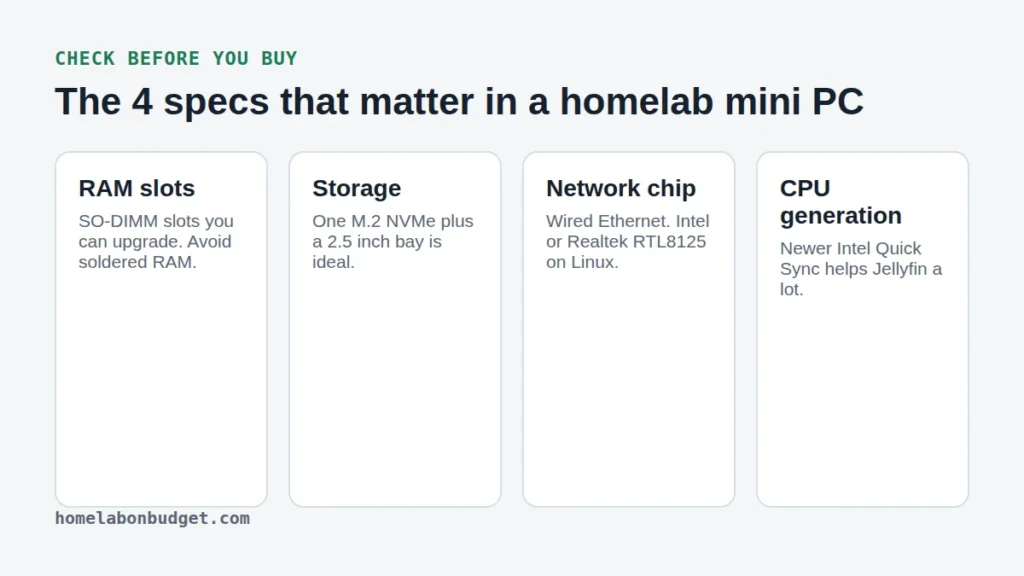
RAM: the part you run out of first
Proxmox itself is light, but every VM and every app takes its share. For a first homelab, 16 GB is the sweet spot. 8 GB works for a few containers, and 32 GB gives you room for a proper lab. Look for SO-DIMM slots you can upgrade, and avoid soldered RAM if you can.
Storage slots
One M.2 NVMe slot plus a 2.5 inch bay lets you keep the system and your data on separate drives. That makes reinstalling a lot less scary, because your data stays untouched.
Network chip
Always get wired Ethernet. Intel chips like the I219, I225 and I226 are the safe choice. The Realtek RTL8125 2.5 GbE chip also works well on Linux and Proxmox. Skip machines with Wi-Fi only. The best mini PC for homelab use always has a cable port.
CPU generation
For VMs, more cores help. For Jellyfin, the generation of the Intel graphics matters more than the core count, because Quick Sync does the video work. An 8th gen Intel handles H.264 and HEVC, and newer chips like the N100 add AV1 decoding. That is why the best mini PC for homelab media servers is usually an Intel one.
What 16 GB of RAM looks like in practice
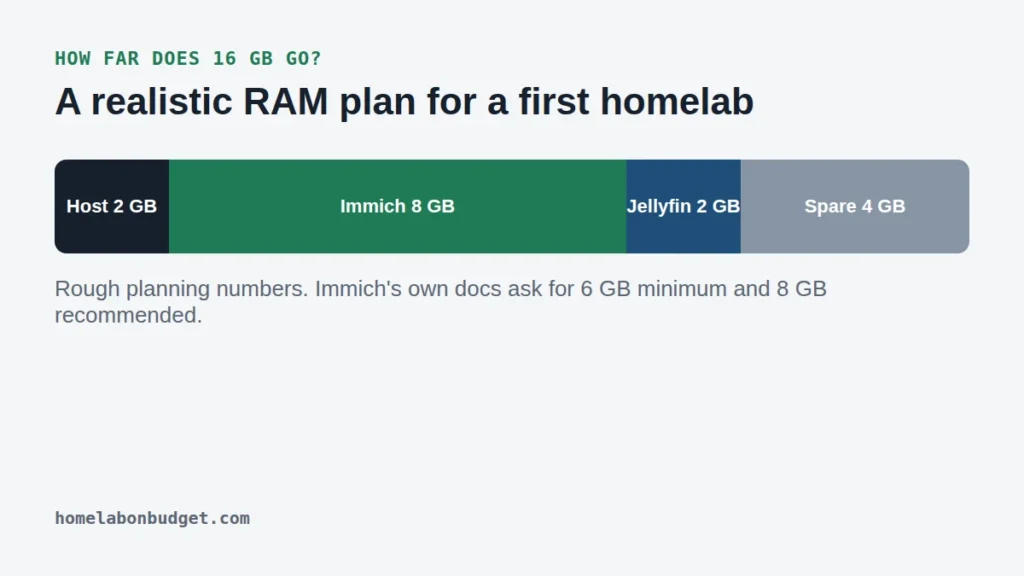
Here is a realistic plan for a first build that runs Immich for photos and Jellyfin for movies. The Immich requirements page asks for at least 6 GB of RAM and recommends 8 GB, so I plan 8 GB for it. Jellyfin needs much less, because the graphics chip does the heavy lifting.
With the host system on top, 16 GB leaves some room to spare for a Pi-hole container or a small test VM. So when you compare machines, the best mini PC for homelab use is simply the one with enough RAM for the apps on your list. Want the full parts list for exactly this setup? I put it together in my home server setup guide.
My pick for the best mini PC for homelab beginners
If you asked me today for the best mini PC for homelab beginners, I’d say: find a refurbished ThinkCentre M720q or M920q with an i5, 16 GB of RAM and an NVMe SSD of 256 GB or bigger. It covers Proxmox, Docker, Immich and Jellyfin, and you can upgrade it later without replacing the whole box.
Still deciding between a Raspberry Pi and a mini PC? Read my Raspberry Pi vs mini PC comparison. Planning to run VMs? Then my Proxmox vs ESXi guide helps you pick the software. You can find all hardware guides in the Mini PCs category.
Frequently asked questions
What is the best mini PC for homelab beginners?
A refurbished 1-litre business PC like the Lenovo ThinkCentre M720q with an Intel i5, 16 GB of RAM and an NVMe SSD. It is cheap, easy to upgrade and runs everything a first homelab needs.
Is a mini PC powerful enough for a homelab?
Yes. A mini PC with 4 to 6 cores and 16 GB of RAM runs Proxmox, a few VMs and a lot of Docker containers. You only need a bigger server when you want many VMs at once or lots of hard drives.
Should I buy a new or a refurbished mini PC?
With current RAM prices, refurbished is often the better deal, because the RAM is already included. Buy from a seller with buyer protection, like eBay’s money back guarantee.
How much RAM do I need for a homelab?
16 GB for most first homelabs, 8 GB if you only run a few containers, and 32 GB if you want a lab with several VMs running at the same time.