
Proxmox vs ESXi used to be a real debate in the homelab world. ESXi was the free industry standard, and Proxmox was the open source alternative. That changed after Broadcom bought VMware, and in 2026 the answer for most beginners is a lot simpler.
Short version: if you are building your first homelab, install Proxmox VE. If your job or your course uses VMware, learn ESXi as well, but check your hardware first. Below I explain why, based on the current versions of both.
What changed with free ESXi
Broadcom closed its purchase of VMware in November 2023. In February 2024 it stopped offering the free version of ESXi, which a lot of homelabs ran on. In April 2025 the free edition quietly came back with ESXi 8.0 Update 3e, as TechRadar reported at the time.
There are limits though. You need an account on the Broadcom support portal to download it, virtual machines are limited to 8 virtual CPUs, and it does not work with vCenter, so there is no central management. There is also no free version of ESXi 9. Broadcom has changed its mind before, so check the current status before you plan a lab around it.
What Proxmox VE gives you
Proxmox VE is free and open source. Version 9.2 came out in May 2026 and is based on Debian. You get every feature without paying. The paid subscription only adds the enterprise update repository and support. Without it you use the free no-subscription repository and click away a popup when you log in. That is a small price for a free hypervisor.
For the Proxmox vs ESXi question, this is the big difference: next to virtual machines, Proxmox runs LXC containers, which are much lighter than VMs and great for small services like Pi-hole. ZFS storage, backups and clustering are all built into the web interface, so you don’t need extra tools to get started.
Proxmox vs ESXi side by side
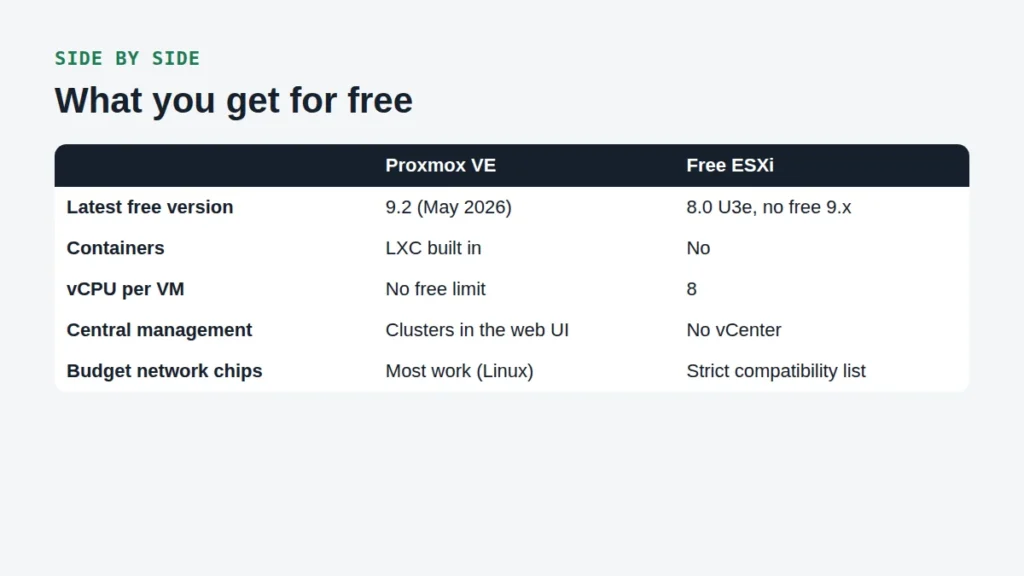
| Feature | Proxmox VE | Free ESXi |
|---|---|---|
| Cost | Free, optional subscription | Free, Broadcom account needed |
| Latest free version | 9.2 (May 2026) | 8.0 Update 3e |
| Containers | LXC built in | No |
| vCPUs per VM | No license limit | 8 |
| Central management | Clusters in the web UI | No vCenter |
| Hardware support | Linux drivers, most budget hardware | Strict compatibility list |
| Common in company jobs | Growing | Yes, still widely used |
Looking at Proxmox vs ESXi this way, Proxmox gives a beginner more for free: containers, no CPU limit per VM and clustering. ESXi mainly wins on how common it still is in companies.
Hardware: where Proxmox vs ESXi really gets decided
This is the part most comparisons skip. Proxmox runs on the Linux kernel, so almost anything Linux supports works, including the Realtek network chips in a lot of cheap mini PCs. ESXi only supports hardware on VMware’s compatibility list. Realtek network chips are not supported, and consumer Intel network chips have needed extra community drivers in the past.
So if you already bought a budget mini PC, check its network chip before you try ESXi. A refurbished business PC with an Intel network chip gives you a better chance. My guide to the best mini PC for homelab builds lists the specs to check.
Trying both: a fair Proxmox vs ESXi test at home
The best way to settle Proxmox vs ESXi for yourself is to try both on the same machine. Use a spare SSD for each, so you can switch by changing the drive instead of wiping anything.
- Download the Proxmox VE ISO from the official site and the free ESXi 8.0 Update 3e ISO from the Broadcom support portal.
- Write the ISO to a USB stick with a tool like balenaEtcher or Rufus.
- Turn on virtualization (Intel VT-x and VT-d, or AMD-V) in the BIOS.
- Install one hypervisor, create a small Linux VM and see how the web interface feels.
- Swap the SSD and repeat with the other one.
If ESXi does not find your network chip during the install, you have your answer for that machine. That is the most common result I hear about on budget mini PCs.
Which one should you learn for your career?
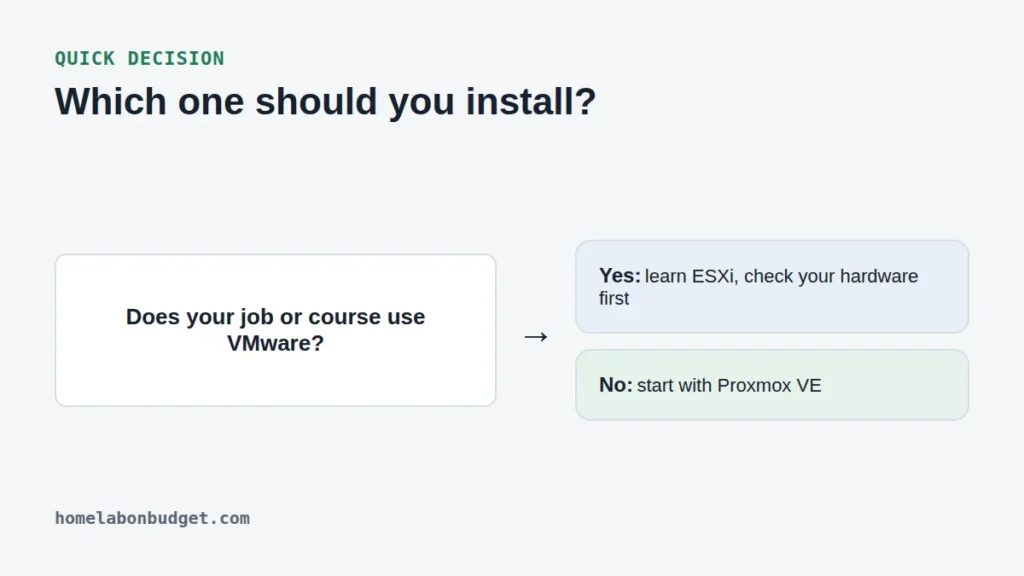
Fair question, and for students it is the real Proxmox vs ESXi question. A lot of companies still run VMware, so ESXi on your CV has value. But plenty of companies moved away after the licensing changes, and Proxmox skills are asked for more and more. The concepts are the same in both: virtual machines, virtual networks, storage and backups.
Learn those concepts on Proxmox, and picking up ESXi later is not hard. If you are studying for a VMware certification right now, then the Proxmox vs ESXi choice is made for you: use ESXi, on hardware that is on the compatibility list.
My verdict on Proxmox vs ESXi for beginners
For a homelab on a budget, Proxmox wins the Proxmox vs ESXi comparison. It is free without limits, it runs on the cheap hardware you probably have, and it does containers as well as VMs. ESXi is worth learning when your job asks for it.
Next steps: pick your hardware with my mini PC guide, or see a full build in my home server setup guide. More guides are in the Proxmox & Virtualization category.
Frequently asked questions
Is ESXi still free in 2026?
Only version 8.0 Update 3e has a free edition, with limits like 8 vCPUs per VM and no vCenter. There is no free ESXi 9. You need a Broadcom support account to download it.
Is Proxmox really free?
Yes. Proxmox VE is open source and every feature works without paying. The subscription is optional and gives access to the enterprise repository and support.
Can I run Docker on Proxmox?
Yes. The usual way is Docker inside a Linux VM. Some apps, like Immich, say in their docs that running Docker inside an LXC container is not recommended, so a VM is the safer choice.