
Links to Amazon and eBay on this page can be affiliate links. If you buy through them I may earn a small commission, at no extra cost to you. See my affiliate disclosure.
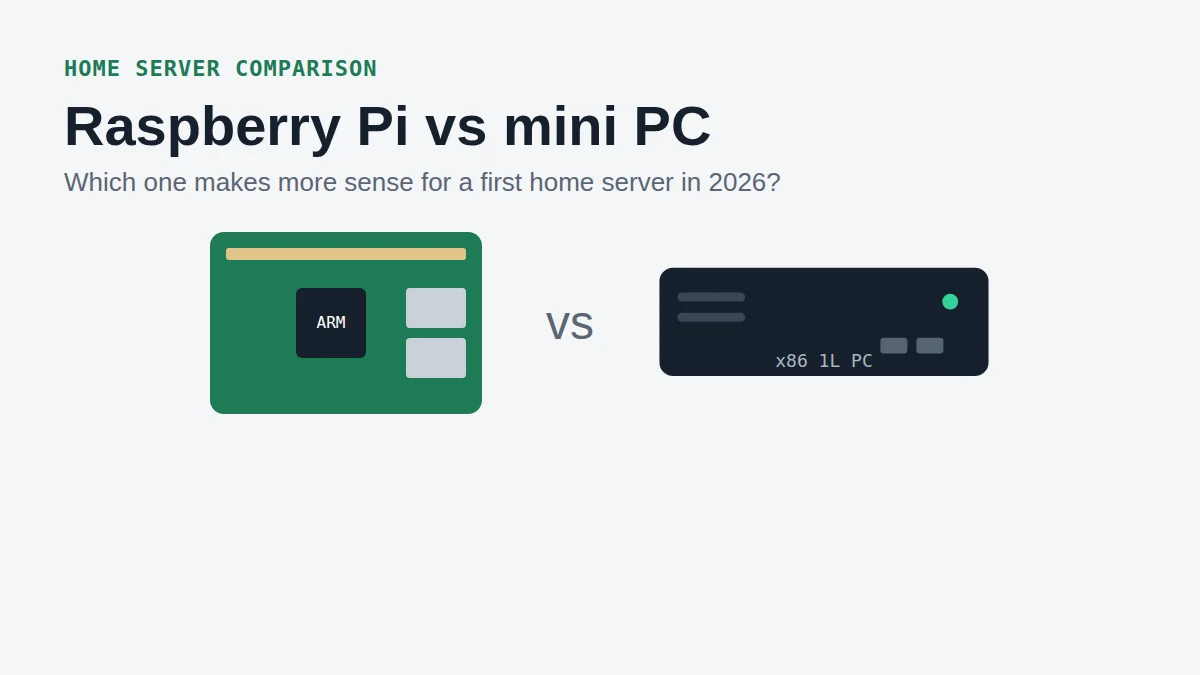
Raspberry Pi vs mini PC is one of the first questions people ask when they want a small home server. A few years ago the Pi was the obvious cheap answer. In 2026 it is not that simple anymore, mostly because of memory prices.
In this comparison I look at what you really pay, what you get in the box, which software runs well on each, and which one I would pick for the most common first projects: photos, media and a small lab.
Price: the Raspberry Pi is not the cheap option anymore
Raspberry Pi has raised its prices several times because of the memory shortage. The 8 GB Raspberry Pi 5 launched at $80. It went to $95 in December 2025, $125 in February 2026 and $175 after the April 2026 increase, as BGR summarised from the official announcements.
And that is only the board. To use it as a server you still need a power supply, a case with cooling and proper storage. An SD card is fine for testing, but a server that writes data all day wants an SSD, which on a Pi 5 means an M.2 HAT as well.
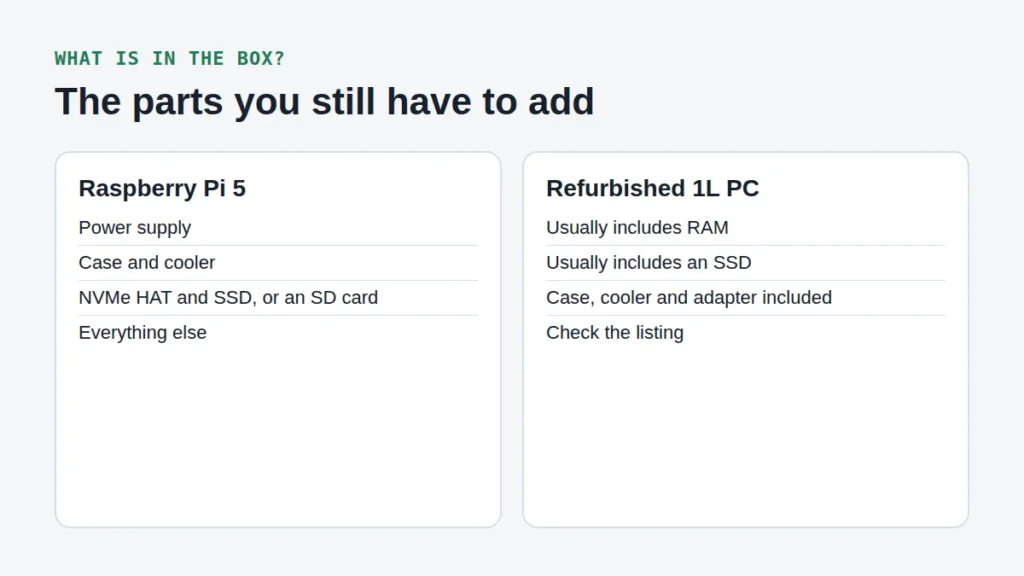
A refurbished mini PC usually comes with RAM, an SSD, a case and a power adapter already included. So in a Raspberry Pi vs mini PC price check, always compare the complete setup, not the price of the board against the price of the box.
Raspberry Pi vs mini PC: performance and software
On raw hardware, the Raspberry Pi vs mini PC gap is bigger than most people expect. The Pi 5 has 4 ARM cores and its RAM is soldered, so the amount you buy is the amount you keep. A refurbished Intel i5 mini PC has 4 to 6 x86 cores and two RAM slots you can upgrade. For light services you won’t notice much difference. For heavier apps you will.
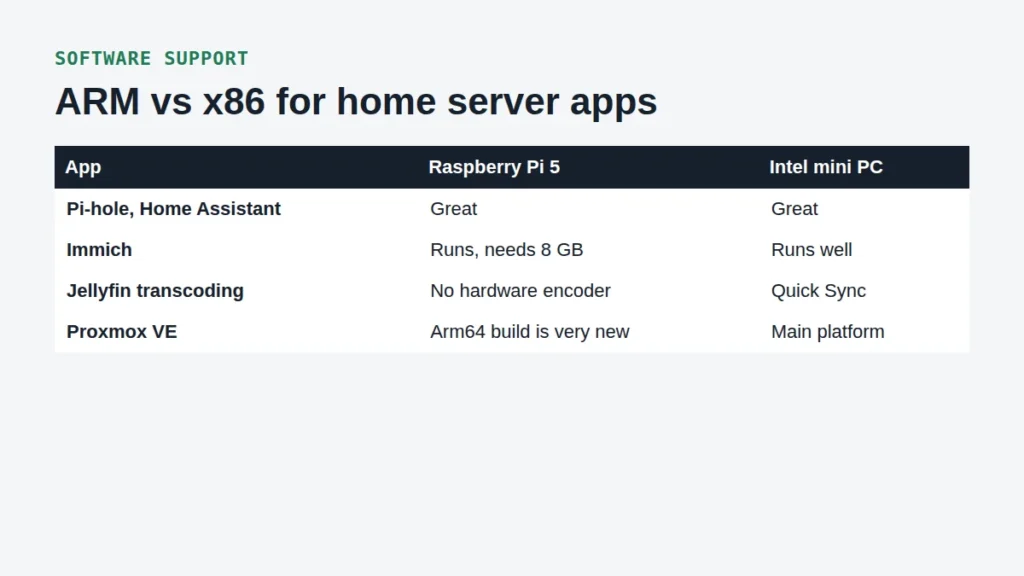
The bigger difference is software. Most popular Docker images now have ARM versions, but not all of them, and most homelab tutorials assume an x86 machine. Proxmox VE only got an official Arm64 build in August 2026, while x86 has been its main platform for years.
Media and photos: where the mini PC clearly wins
If Jellyfin is on your list, this decides the Raspberry Pi vs mini PC question. The Jellyfin hardware acceleration docs say to avoid the Raspberry Pi 5, because it has no hardware video encoder at all. When a video has to be converted for your phone or TV, the Pi does it on the CPU, and that is slow. An Intel mini PC does it with Quick Sync.
Immich runs on ARM, but it asks for at least 6 GB of RAM and recommends 8 GB, so you need the 8 GB Pi at minimum. Photo imports and face recognition will also be slower than on a mini PC.
When a Raspberry Pi is still the right choice
- Pi-hole or AdGuard Home to block ads on your network
- Home Assistant for your smart home
- Electronics projects that use the GPIO pins
- One small always-on service, like a VPN endpoint
- You already have a Pi lying in a drawer
For these, a Pi is great. It is small, well documented and has a huge community. The Raspberry Pi vs mini PC answer really depends on how many things you want to run on one device.
Raspberry Pi vs mini PC for 3 common first projects
A photo and media server
Mini PC. Jellyfin needs hardware transcoding and Immich wants 8 GB of RAM or more. In this Raspberry Pi vs mini PC match-up the Pi loses clearly.
A practice lab for Proxmox and VMs
Mini PC. Virtual machines need RAM and x86 support, and nearly every course and tutorial assumes an x86 machine. Upgradeable RAM slots are a big plus here.
Network ad blocking and smart home
Raspberry Pi. Pi-hole and Home Assistant run great on a Pi and barely use its resources. This is the one case where the Raspberry Pi vs mini PC choice goes to the Pi without doubt.
Raspberry Pi vs mini PC comparison table
| Raspberry Pi 5 (8 GB) | Refurbished 1L mini PC | |
|---|---|---|
| CPU | 4 ARM cores | 4 to 6 x86 cores (Intel i5) |
| RAM | 8 GB, soldered | Usually 8 to 16 GB, upgradeable |
| Storage | SD card, or NVMe with a HAT | NVMe slot plus a 2.5 inch bay |
| Jellyfin transcoding | No hardware encoder | Intel Quick Sync |
| Proxmox VE | Arm64 build is very new | Main platform |
| In the box | Board only | Usually a complete PC |
My verdict
So what is my answer to Raspberry Pi vs mini PC? For a first home server that runs more than one thing, I would pick a refurbished mini PC. It is often cheaper once you count everything, it has more room to grow, and every guide you find will work on it. Keep the Pi for single jobs like Pi-hole or Home Assistant.
Ready to pick one? Start with my list of the best mini PC for homelab builds, or go straight to the complete home server setup for Immich and Jellyfin. You can find more hardware comparisons in the Mini PCs category.
Frequently asked questions
Is a Raspberry Pi good enough for a home server?
For one or two light services like Pi-hole or Home Assistant, yes. For Jellyfin, Immich and a few containers at once, a refurbished mini PC is the better choice.
Can a Raspberry Pi run Proxmox?
Proxmox released its first official Arm64 build in August 2026. It is very new, so check the Proxmox documentation for supported hardware before you try it on a Pi.
Which is cheaper, a Raspberry Pi or a mini PC?
After the 2026 price increases, a complete Pi 5 setup with case, power supply and SSD often costs about as much as a refurbished mini PC that already includes RAM and storage. Compare the complete setup.